

zandoriastudios
-
Posts
3,870 -
Joined
-
Last visited
-
Days Won
2










Recent Profile Visitors
6,118 profile views




zandoriastudios's Achievements

Animation:Masters (9/10)
9
Reputation
-
https://tubitv.com/movies/100013471/miss-castaway-and-the-island-girls

-
Miss Castaway and the Island Girls is streaming on Tubi—this is a movie that I did some CGI animation on years ago! I used Animation:Master for all the shots I worked on 😎 I made Noah’s ark , the Jurassic Pork swinosaur, Mr Dodo and other things, and did some compositing.
-
 zandoriastudios changed their profile photo
 -
Robert--you truly are a gentleman and a scholar! That was very impressive!
-
BVH Capture Sequence not working like it used to...
zandoriastudios replied to John Bigboote's topic in Open Forum
In 8.5p it was easy to load different BVH files and swap them out. It would be asinine to have to re-rig a character to use a new motion--you should be able to have multiple constraint relationships you could set up in advance to use BVH files from different sources. But you should only have to rig it once for any source... https://zandoriastudios.com/tutorials/am-mocap-tutorial/ Step 3Once your skeleton is constrained to follow the motion capture, create a Pose from the Action. Be sure that the Key filters are set as shown below. Name your pose “BVH” and save your model. This pose will now be usable to load any BVH file that is set-up the same way. Step 4To load a new motion capture file for your model, create a new action and drag-and-drop the “BVH” pose into the action. Right-click the channel for the “shortcut to BioVision BVH File1”. NOTE: Do not right-click the shortcut, make sure that it’s the channel. Choose “Capture sequence” and load the BVH file that you wish to use. Your model will follow the new BVH file, it doesn’t matter which file you used for making your constraints, just be sure that the BVH file was set up the same way. You can find lots of free BVH files on the web to practice with. -
very cool! I love 3D printing
-
https://zandoriastudios.com/tutorials/uv-tutorial/ Here is a tutorial that I did several years ago that may still be helpful
-
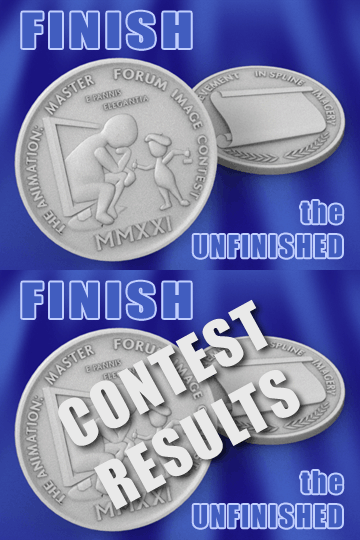
wow! nice job on the medals! That makes me want to enter the next contest
-
Great Job!
-
I like that cell shaded look for Papa Bear! When I was working on the first TAR short, I really wrestled with the "look". The more you try and add all of the bells and whistles, the more that it starts to have that homogenized look like every other CG animation. I wrote a post about it here: https://zandoriastudios.com/2014/03/18/stylizing-the-look/
-
Actually Ken Heslip modeled the hippogyraf. I only textured it
-
It is good to hear from you! The pictures that you shared on Facebook of your travels are great--I imagine that the opportunity to travel the world gives you a new perspective. I appreciate all that you have done to help the A:m user community, and for inviting us to the Hash Bash, and sharing your dream with us. If you have ever felt that I was ungrateful for what you have done to help me personally, I apologize. I value your friendship.
-
Concept Sketches: TAR of Zandoria
zandoriastudios replied to zandoriastudios's topic in Tar of Zandoria
yeah, you can do that... I guess I will have to do a tutorial at some point, but I've been working on a graphic novel version on my iPad Pro, instead of animating. I did this for a modeling contest where they were giving away a Form2 printer...didn't win -
Sorry the audio quality was distracting... for elbows/knees, it is simpler because there is only one axis of rotation. for hips & shoulders, it is a good idea to have a fan-bone (or series of them) that orients like the main bone, but doesn't store the roll--that keeps the twist away from the joint when the bone rolls. First do the Weighting then in a test action, pose the joints and see where the problems are at the extremes. To get a smooth smartskin, you want to try and set keys at the extremes and let the default pose be your neutral in-between. eg.: raise the arm-- set a key, lower the arm--set a key. the smartskin will use the default position as a key when blending. Use the rotate manipulator and wiggle it on the extremes to make sure there is data in ALL of the rotation channels. In the extreme position, you will likewise make a smartskin for the rolled position(s) at the extremes. Depending on your fan-bones (or if you didn't use them), you may need an extra roll smartskin keyframe in-between the extremes and neurtral positions. (eg. extreme at +90º and -90º roll, and another keyframe at +45º and -45º): This is so you can counteract the "pinching" of the CPs when the bone rolls. as before, make sure that there is data in all of the channels.... You should only need 1 smartskin/bone. Keep clearing your action and then repose the joint. where you see a problem, right click and edit Smartskin1 to add the keyframe... be sure to untoggle the relationship Icon when you are done tweaking it....
-
Concept Sketches: TAR of Zandoria
zandoriastudios replied to zandoriastudios's topic in Tar of Zandoria
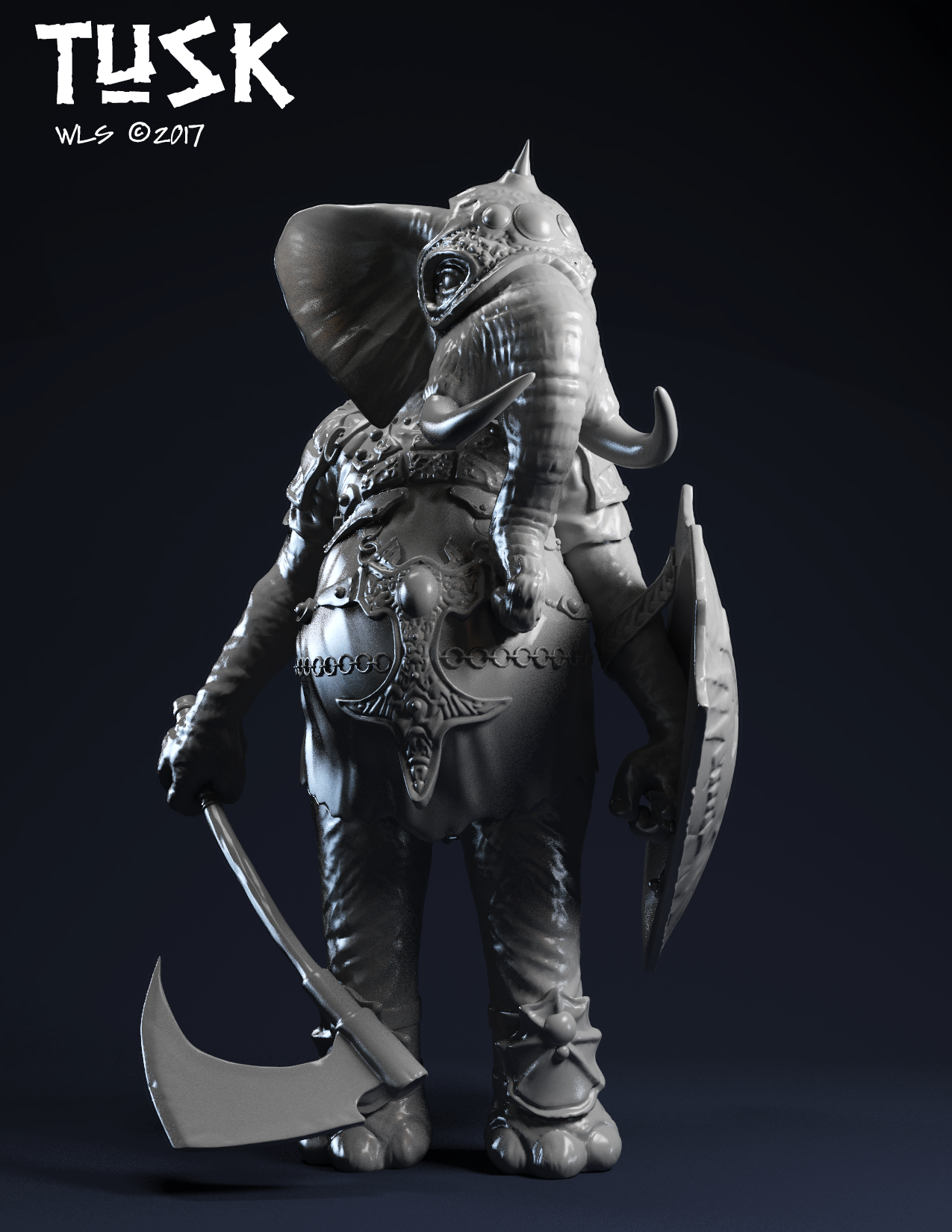
ZBrush sculpt of "TUSK" https://www.artstation.com/artwork/YoDZY
-
Did they ever really stop? I wondered if they just started calling in "proprietary" or stopped talking about it altogether--I remember Martin was very pissed when they hired his programmers, and when they were bought by Disney....