

Phil
-
Posts
357 -
Joined
-
Last visited
-
Days Won
1
Content Type
Profiles
Forums
Events
Everything posted by Phil
-
 WOW! nice color and flow. The feathers look as they come to life
 -
And now for something completely different...
Phil replied to Kelley's topic in Work In Progress / Sweatbox
Kelly, This is coming along really nice. Love the characters. I also like Mauldin's work. Can't wait to see it animated. I had something like this happen to me. But it was caused by selecting some other CP's that i didnt notice when working in the relatioship window for a pose slider. Phil -
Nice looking frog would be nice to see animated. Your head model looks real good too.
-
Thanks for your response Rusty. Turned out to be part of a pupil that was not assigned to a group.
-
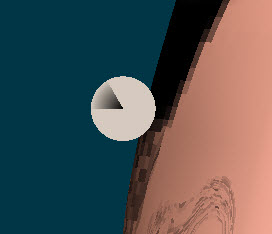
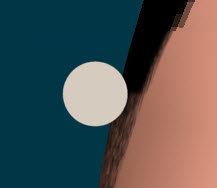
Hi all I thought i was just seeing another bone. But noticed this disc showing up in the action window and the choreorgraphy too. has any one seen this before? here's a couple of snap shoots This one is in the action window These are from the choreorgraphy window choreorgraphy window rendered

-
WOW! looks real sweeeet! great work
-
Importing bone structures into another model
Phil replied to Phil's topic in Work In Progress / Sweatbox
Barry said he made the tutorials using 11H. I can't recall the last version i used that it worked in -
Importing bone structures into another model
Phil replied to Phil's topic in Work In Progress / Sweatbox
Well that explains where those extra bones came from Both of these plug-ins are sweet! Corrected those bones like you mentioned and ran both plug-ins, Worked like a champ Thanks so much! -
Importing bone structures into another model
Phil replied to Phil's topic in Work In Progress / Sweatbox
So I need to set my center bones to x0 (main ->head -> spines ->pelvis control main) first? I'll give that a try when I get home Thanks -
Importing bone structures into another model
Phil replied to Phil's topic in Work In Progress / Sweatbox
The Plugin dosent seem to be mirroring the bones correctly for me in 15.0b -
Importing bone structures into another model
Phil replied to Phil's topic in Work In Progress / Sweatbox
-Well, it seems to do the same in the last version 14 release -I reported under Version 15.0b -Yes, I performed the Search and replace step in note pad If i open either the left or right side of the model the bones constraints work fine, it's only after importing one into the other. Its as if anything left/right overwrites the other -
Importing bone structures into another model
Phil replied to Phil's topic in Work In Progress / Sweatbox
Still wont copy over the User properties -
Hello, I finally found some free time and have been going through Barry Zundels turtorials. I've come to the section (2nd DVD)where you save the left side of the model and flip the bone structure to the right then save. Then in a new project you open the model with the left side then import the right side into the model. The problem I'm having is it break the other side when it's imported. I've tried both ways importing the left side then the right and vice vesa. This use to work in privious versions. I only have version 15B installed at this time. Any Ideas what I might try? Phil
-
Yves has a good tutorial on beveling that i used to model some aircraft parts. Theres another one on the forum that used a train model but was able to find it. hope this helps The link listed above was the one I was looking for
-
You will find this information on page 53/54 of the Technical Reference Manual it explains and shows a good example
-
These have been entertaining, they seem to just get better. Looking forward to the fourth
-
If your using Windows and dont have a capture program, select the "PrtScn" button then you can paste it in any paint application
-
Do you have the Techsmith Codec installed ? He has a link on his site to it
-
Your project is looking sweet. It looks better and better each time.
-
noober, looks real good. Nice clean model looking forward to seeing more
-
I checked all the normals, there all facing outwards Thanks Dhar
-
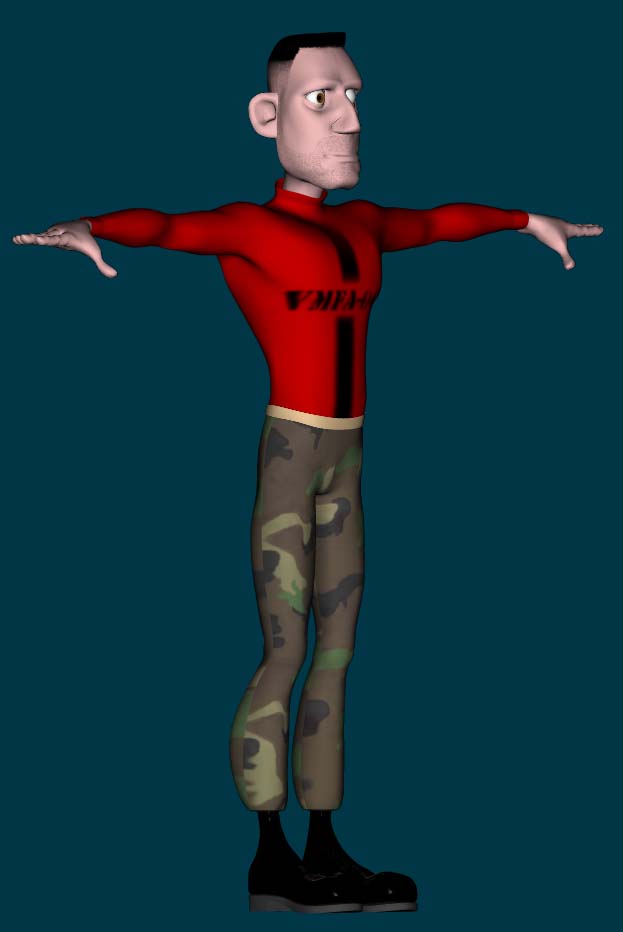
Here's some progress, Just a few more things then on to rigging. any comments are welcomed
-
This is all part of learning A:M and having a character to practice with too. Guess I'll try Barry's approch first then. Thanks Can't wait to see your character in action!
-
Dhar, Your model is looking real good. I'm still weaking the model I'm working on. I'll be getting ready to start rigging shortly. I've been using TSM ( since it's not being supported any longer) and was going to use Barry's DVD Tutorial to rig it. Is there much difference in Barry's tutorial and the new Squetch rig? John, I'm Two Thumbs up! for a instant rigging button too!(Just like an easy button)