

Phil
-
Posts
357 -
Joined
-
Last visited
-
Days Won
1
Content Type
Profiles
Forums
Events
Everything posted by Phil
-
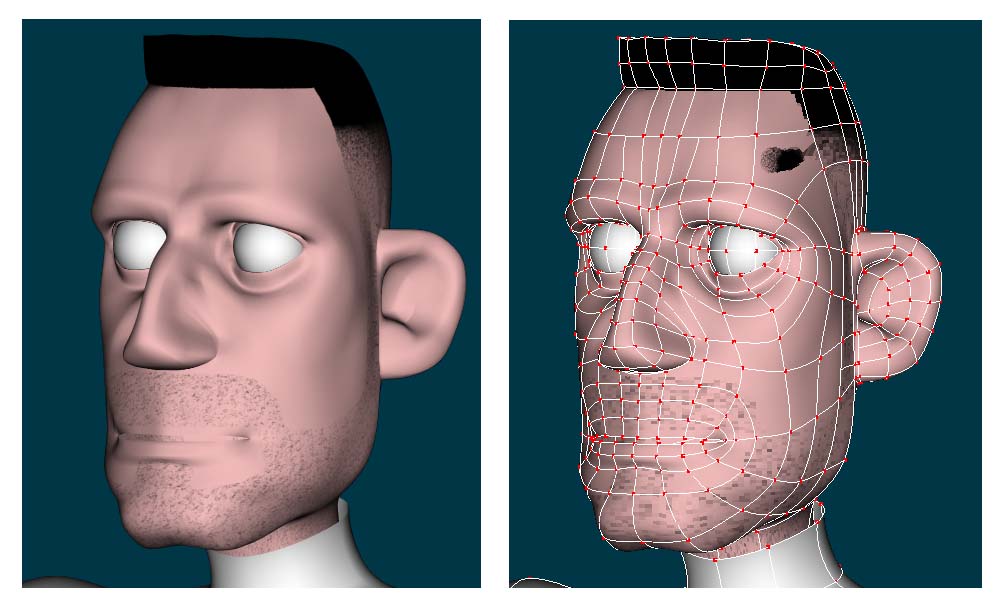
No, Just wanted to know about the smudge. He's a work in progress I'll post him when i get done with the rest of the body. He'll be my first attempt in using the new rig
-
Hi all, This has been driving me nuts, The smudge on the forhead is only showing here. when I render the model, it goes away. Any ideas? Something to do with a 5 point patch? It's happening on both sides.

-
This is something i started a while back (using an amiga) and was wondering if there's a way to do this in A:M. Oh silly me, there's always a way. I was thinking along the way of an action with a slider?! f18.mov
-
If the CP on the other side of the face is good, just copy the values of the that CP over
-
I've finally got some time to get back to my AV8 project. I want to texture the model but haven't textured anything so i dont know where to start. I have 3D painter to use. I would like to dirty it up some. any pointers or tutorial would be great
-
Good start. I can see a lot of possibilities, cartoonish human/animal, Fire breathing nostrils. John you never cease to amaze me. looking forward to more
-
just one word, AWESOME!
-
The song was the one from "Iron Man: The Origin Of Iron Man" from the syndicated animated series. your characters look great cant wait to see the animation.
-

What would be the best way to about adding exhust
Phil replied to Phil's topic in Work In Progress / Sweatbox
Here's a quick test of my progress Phil's Attempt @ Animation any comments are welcome -
What would be the best way to about adding exhust
Phil replied to Phil's topic in Work In Progress / Sweatbox
John, a picture is worth 1000 words. Your picture verified that i was infact following your inital instructions. turns out by uninstall all 3 versions of AM and just reinstalling the latest lets me create the pose slider that contols the the sprite settings to my hearts content. Thanks for sharing the knowledge -
What would be the best way to about adding exhust
Phil replied to Phil's topic in Work In Progress / Sweatbox
Yes that was a wonderful render-> John showed me a good way to achive this, but I'm just unable to create a pose slider to control it. I can create a pose slider to move the model and move CP's but not sprite settings -
What would be the best way to about adding exhust
Phil replied to Phil's topic in Work In Progress / Sweatbox
I'm trying this again, I thought i knew how to make a pose slider, but i guess i'm doing it wrong. It dosent control any thing. the project you dis worked fine. I'm just unable to recreate the afeffect to control the rate of emission. I 'll select to embed all this time embednozzle.prj -
What would be the best way to about adding exhust
Phil replied to Phil's topic in Work In Progress / Sweatbox
sorry, here's the project with embedded turned off. Thank's i look at the project when i get off work Thanks nozzle.prj -
What would be the best way to about adding exhust
Phil replied to Phil's topic in Work In Progress / Sweatbox
ok for got the link My Webpage and here's the nozzle project file maybe some can tell me what i'm doing wrong nozzle.prj -
What would be the best way to about adding exhust
Phil replied to Phil's topic in Work In Progress / Sweatbox
Here's my latest attempt. I'm quite happy with it it but i'm still unable to create a pose silder to manioulate the the settings of the sprite to give it more thrust when it's hovering downwards http://www.cybertrails.com/~perezp/nozzletest.avi' target='_blank'> -
What would be the best way to about adding exhust
Phil replied to Phil's topic in Work In Progress / Sweatbox
I'm not having much luck controling the smoke using a pose slider. do you create it just like a regular pose in the model ? tried it that but no change. I must be leaving something out -
What would be the best way to about adding exhust
Phil replied to Phil's topic in Work In Progress / Sweatbox
Here's a few shots of what i've been able to achive. Just haven't been able to get the smoke to just ome out of the nozzle only. It also seems to go in the opposite direction when the aircraft is hovering downward. Also is there a way to increse the amount of thrust say smoke using a pose slider ? any help would be great thanks
-
What would be the best way to about adding exhust
Phil replied to Phil's topic in Work In Progress / Sweatbox
I'm familiar with Particle Illusion from using Imagine. I would rather use A:M. I know it's capable. From seeing what John has done with particles i know it's possible. Time will tell, Thanks -
What would be the best way to about adding exhust
Phil posted a topic in Work In Progress / Sweatbox
I'm still working on my harrier model [ http://www.hash.com/forums/index.php?act=A...e=post&id=63179 ] I wondering what would be a good way to make exhaust for the nozzles. I'm playing with the streak emitters but it's not cooperating to much. any one have any views i can try ? Thanks -
Is the inside of the shield three sperate parts? It may be just me. but its just seems to stick out. But look real good
-
He does look like ironman "Damn now that song will be stuck in my head" looks real good.
-
They look cool, they have a nice personality and character Really nice
-
Yes, i was trying to have it as when the tire touches ground then the strut compresses. The way i have it now is with 3 sliders, one to bring both the outriggers down then one each L and R to compress the gear. I thought it may be easier to see if i can do the compression as each individual gear touches the ground. as i will have 2 more sets for the main and nose gear. Sorry If I didnt explain it properly.
-
Phil, Gave that a try. for some reason it only rotates and doesnt compress the linkage I uploaded the project with the results of my attempt (Mod_outrigger) and the one i was playing with (outrigger). I'm really confused. Thanks for the help Phil landing_gear.prj
-
I had it posted in the Hash, Inc. Forums -> General Discussion -> Animation:Master here's the thread http://www.hash.com/forums/index.php?showtopic=10116&hl=av8 But here it is again outrigger.mdl